Part of the Indexing Problems topic guide. Use the guide to move from this specific question to the full diagnostic workflow.
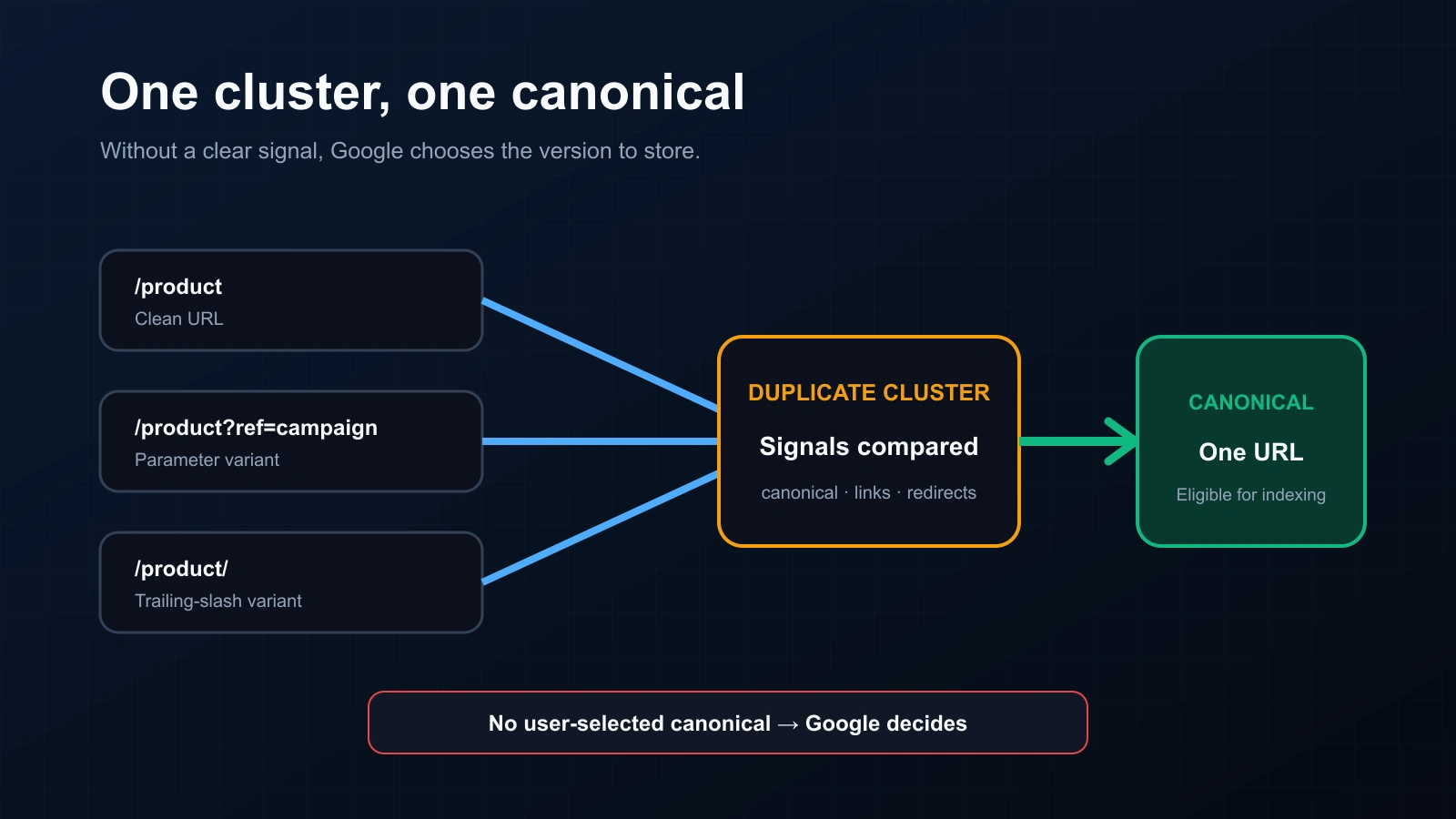
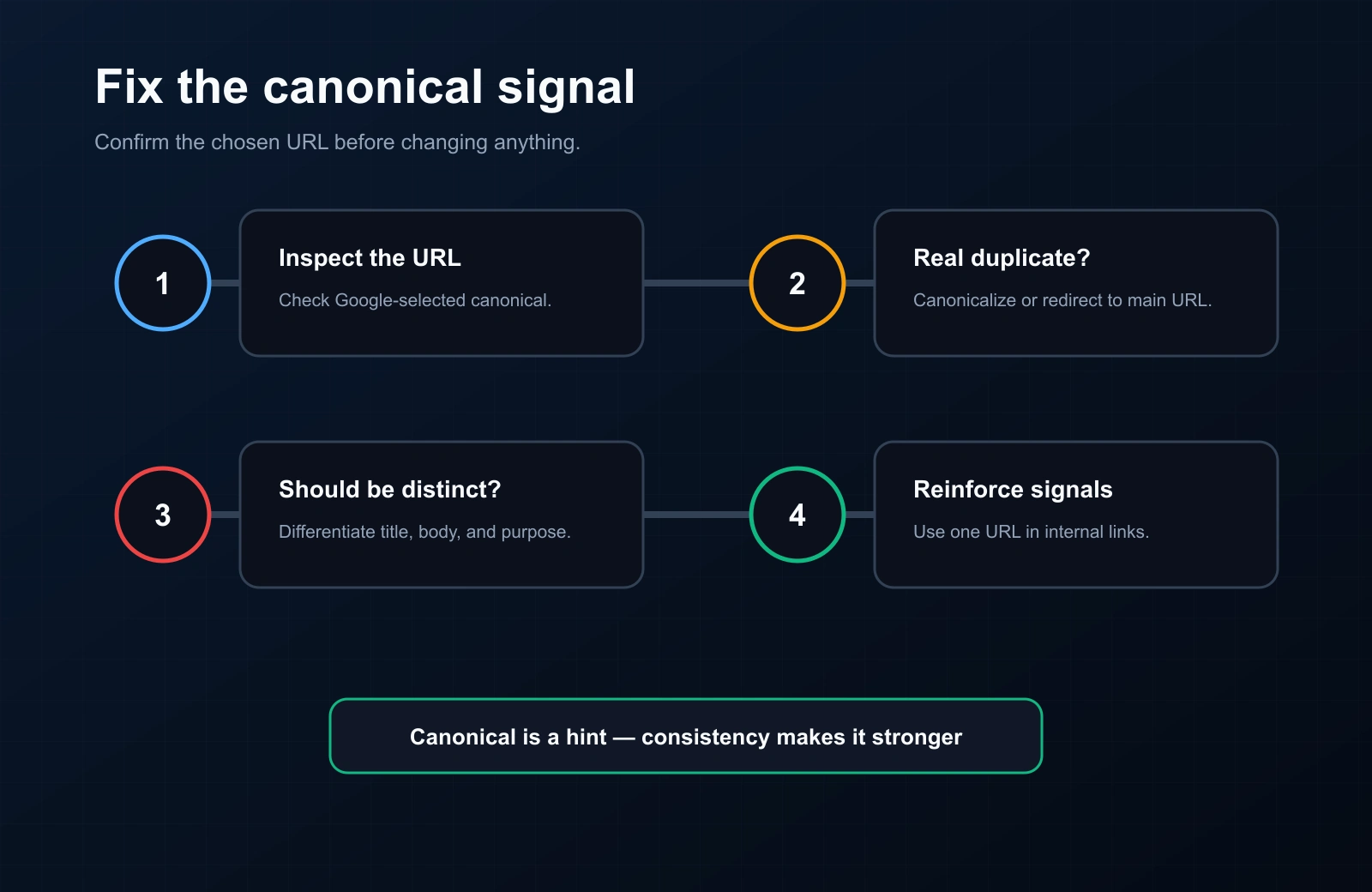
“Duplicate without user-selected canonical” means Google considers the inspected URL a duplicate of another page, found no preferred canonical declaration for it, and selected another URL to represent the duplicate cluster. This is not automatically an error. First confirm which URL Google selected; only change the signals when the selected representative conflicts with the page’s intended role.
This status belongs to the IndexVero indexing-problem diagnostic library. Use the URL Inspection evidence workflow to keep the inspected URL, user-declared canonical and Google-selected canonical as separate fields.
What does this status establish?
| Evidence | What it establishes | What it does not establish |
|---|---|---|
| Duplicate without user-selected canonical | Google selected another representative for the inspected duplicate URL | A penalty, a content-quality verdict, or a permanent state |
| User-declared canonical: none | No supported canonical declaration was recorded for the inspected representation | Which remediation is appropriate |
| Google-selected canonical | The URL Google currently treats as representative in the inspected record | That every signal on the site is aligned with it |
| External alternate-URL observation | Another URL form was observed publicly at a dated check | A private Search Console duplicate reason |
Google’s Page Indexing documentation notes that duplicate or alternate URLs are often expected because the goal is to index the canonical version of an important page, not every URL variation.
Why can Google form a duplicate cluster?
Canonicalization begins with representations, not labels in a report. Several URLs can deliver the same or substantially similar main content:
- HTTP and HTTPS, www and non-www, or trailing-slash variants;
- tracking, sorting, filtering, print or session parameters;
- product, location or template pages whose main content is not meaningfully distinct;
- syndicated or republished documents;
- redirect targets, mobile variants or alternate file formats.
The report label does not identify which one caused the cluster. Compare the fetched and rendered documents, redirects, canonical declarations, internal links and sitemap membership before choosing a fix.
Check Soft 404 classification as a distinct response-and-content outcome rather than assuming every excluded representation belongs to a duplicate cluster.
A canonical-conflict evidence worksheet
| Field | Record separately | Conflict to investigate |
|---|---|---|
| Inspected URL | The exact URL submitted to URL Inspection | It redirects or normalizes unexpectedly |
| Fetched final URL | The terminal URL and response status | A chain or destination differs from the intended lifecycle |
| User-declared canonical | The absolute canonical in rendered HTML or the HTTP header | Missing, malformed, cross-host by mistake, or different across variants |
| Google-selected canonical | The representative shown in URL Inspection | It is not the URL intended for users and search |
| Rendered main content | Purpose, primary copy, products/data and visible differences | Pages intended to be separate answer the same task |
| Internal-link target | The URL form used by navigation and contextual links | Links reinforce a secondary variant |
| Sitemap URL | The exact submitted <loc> | The sitemap declares a redirected or non-preferred form |
Which canonical action should you take?
| Intended relationship | Primary action | Supporting signals |
|---|---|---|
| The secondary URL should disappear | Permanent redirect to the equivalent preferred URL | Update internal links and sitemap entries to the destination |
| Both URLs must remain accessible but represent the same content | Add an absolute rel="canonical" from the duplicate to the preferred URL | Use the preferred URL in internal links and the sitemap |
| The pages should serve different intents | Make the purpose and main content materially distinct | Use self-canonicals, distinct titles and contextual incoming links |
| Google selected the intended representative | No canonical repair may be necessary | Document the outcome and remove accidental discovery of useless variants where practical |
Google describes redirects and rel="canonical" as strong canonicalization signals and sitemap inclusion as a weaker signal. Signals can reinforce each other, but they should not contradict each other. See Google’s canonical URL guidance. Google documentation last checked: August 2, 2026.
How should backlink providers report alternate URL evidence?
A backlink seller or provider usually cannot inspect the third-party source property in Search Console. The delivery record should therefore separate five objects:
ordered source URL → reachable final page → expected link present → alternate/canonical observation → dated index observation
| Observed condition | Defensible delivery statement | Do not claim |
|---|---|---|
| Original URL redirects to an equivalent page and the expected link remains | Record the redirect, final URL, link presence and observation date | That the original URL itself is the indexed representative |
| An alternate URL form is observed publicly | Report it as an alternate/canonical-form observation | “Duplicate without user-selected canonical” without property evidence |
| Final page is reachable but the expected link is absent | Delivery relationship not verified | That HTTP 200 proves the backlink exists |
| The source is unavailable | Unavailable, with response class and time | Not indexed, duplicate, or link removed |
Normalize provider lists with Remove Duplicate URLs, then keep exact and alternate observations distinct in the bulk index-checking workflow.
What did IndexVero’s observation sample show?
In the earlier July 2026 sample of 166,988 dated observations, IndexVero recorded 15,416 alternate/canonical-form observations, or 9.23% of the sample. The match-type split has not been recomputed for the 3 July – 24 August 2026 period. This does not mean that those URLs all had a Search Console duplicate exclusion. It shows why exact-string matching alone can miss a publicly observed representation under another URL form.
The denominator is observations, not unique websites or the whole web. Definitions and limitations are documented in the IndexVero measurement methodology.
How do you validate a canonical repair?
- Confirm the response and rendered canonical on every important variant.
- Crawl internal links and sitemap entries to ensure they name the preferred URL.
- Use URL Inspection live test for the current representation.
- Recheck the recorded Google-selected canonical after Google crawls again.
- Keep the old and new observations separate; a successful live test does not rewrite the older record.
FAQ
Is “Duplicate without user-selected canonical” a penalty?
No. It reports that Google selected another URL to represent a duplicate cluster. Investigate only when that representative is not the one you intended.
Does a self-canonical guarantee selection?
No. It clarifies your preference, while redirects, content similarity, internal links, sitemaps and other signals can support or conflict with it.
Should every duplicate URL be redirected?
No. Redirect a deprecated duplicate when users no longer need it. Use rel="canonical" when both URLs must remain accessible but one should represent the shared content.
If the URLs you need indexed are backlinks on sites you don’t control, Search Console can’t submit them for you. Our backlink indexing service handles third-party URLs in bulk and verifies the outcome.