Part of the Indexing Problems topic guide. Use the guide to move from this specific question to the full diagnostic workflow.
For an eligible URL in a verified Search Console property, inspect the live page and use “Request Indexing” after a meaningful fix or publication. Keep three events separate: Google accepted the request, Google later recorded a crawl, and an indexed representation was later observed. The first event does not prove the other two, and the control cannot be used for a backlink on a property you do not own.
Request acceptance is one event in the indexing problem decision tree; a later crawl and indexed selection require separate evidence.
How to request indexing (step by step)
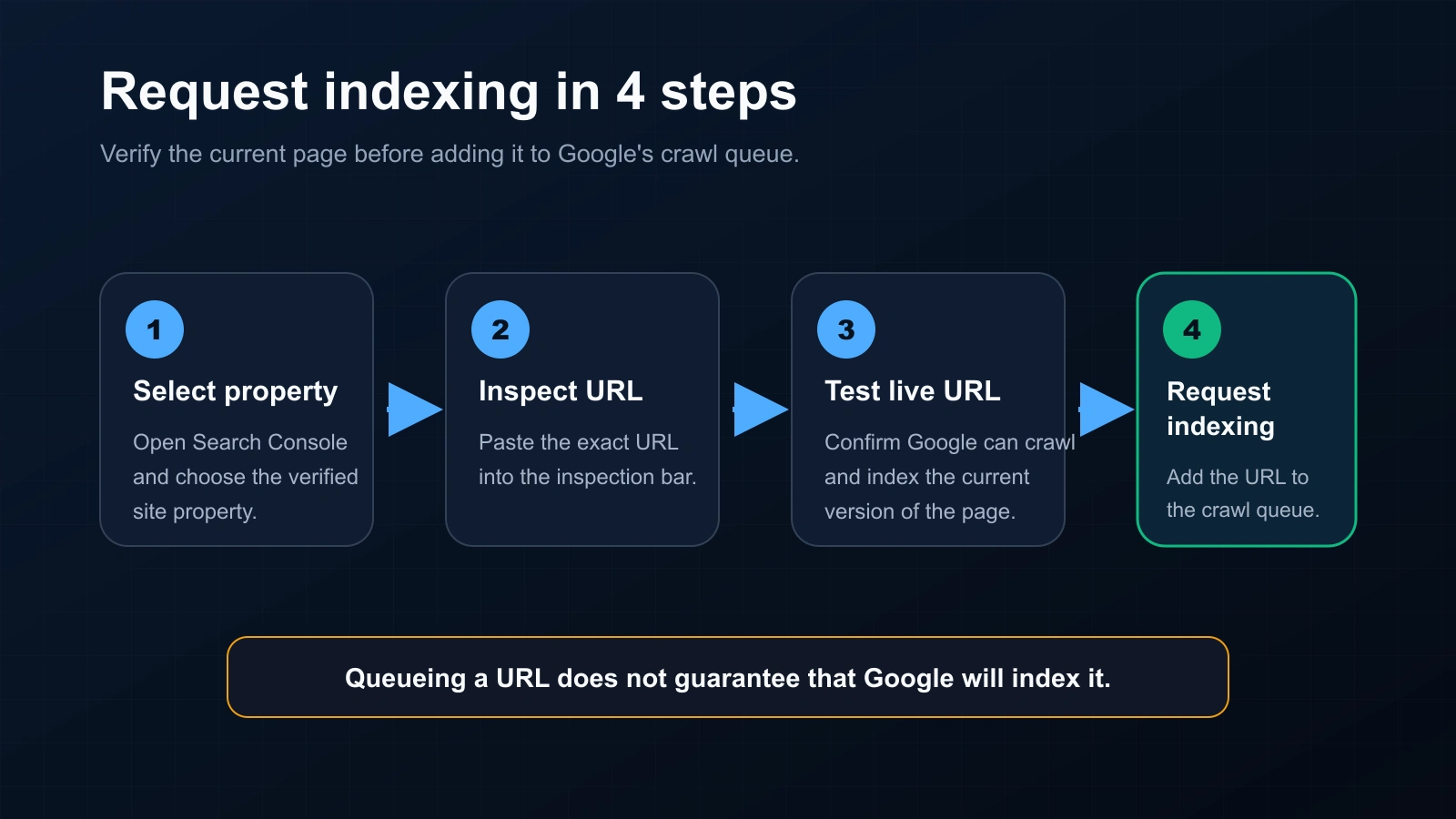
- Open Google Search Console and select the property.
- Paste the URL into the URL Inspection bar.
- Click Test Live URL to confirm it’s indexable in its current state.
- Click Request Indexing to queue it.
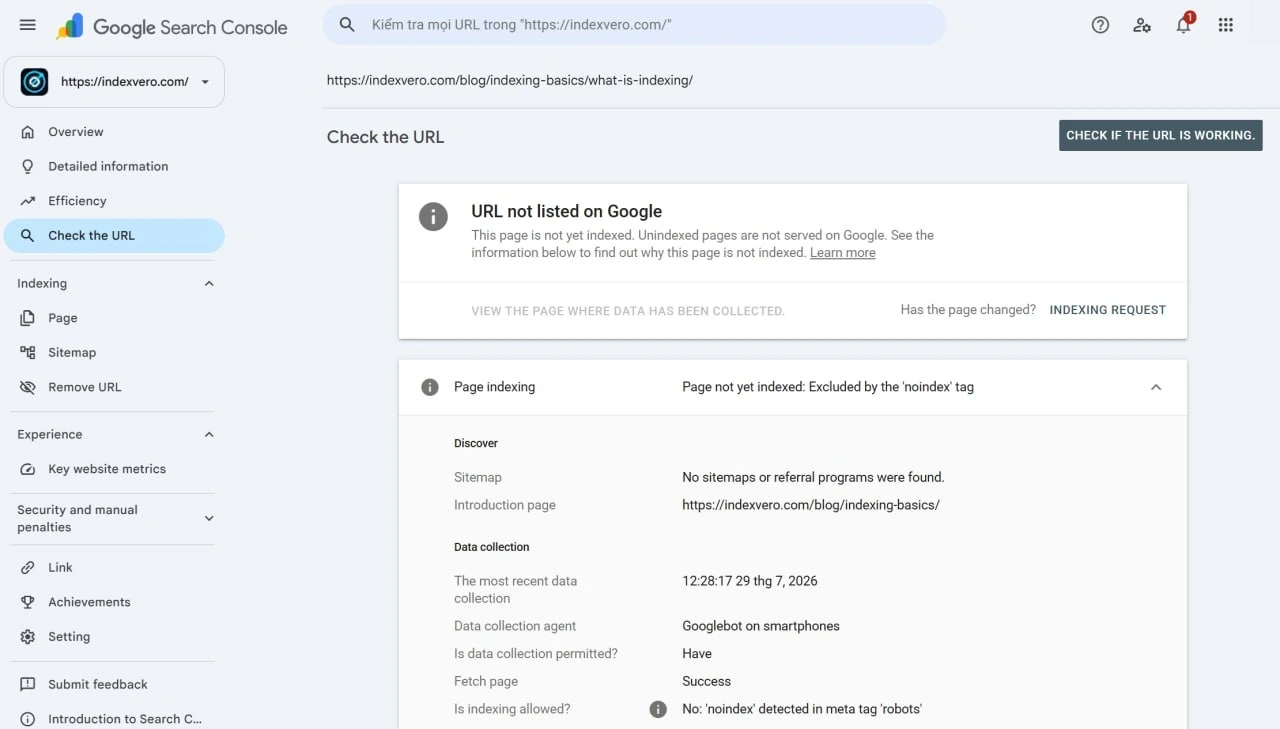
The limits nobody mentions
- Property-only: you can only request indexing for URLs in a property you’ve verified — not competitor pages or backlinks on other sites.
- Daily cap: Google enforces a per-property daily limit on manual requests but does not publish the exact number; for many URLs, rely on sitemaps instead.
- No guarantee: an accepted request does not override Google’s later quality, duplication, canonical or indexing decisions.
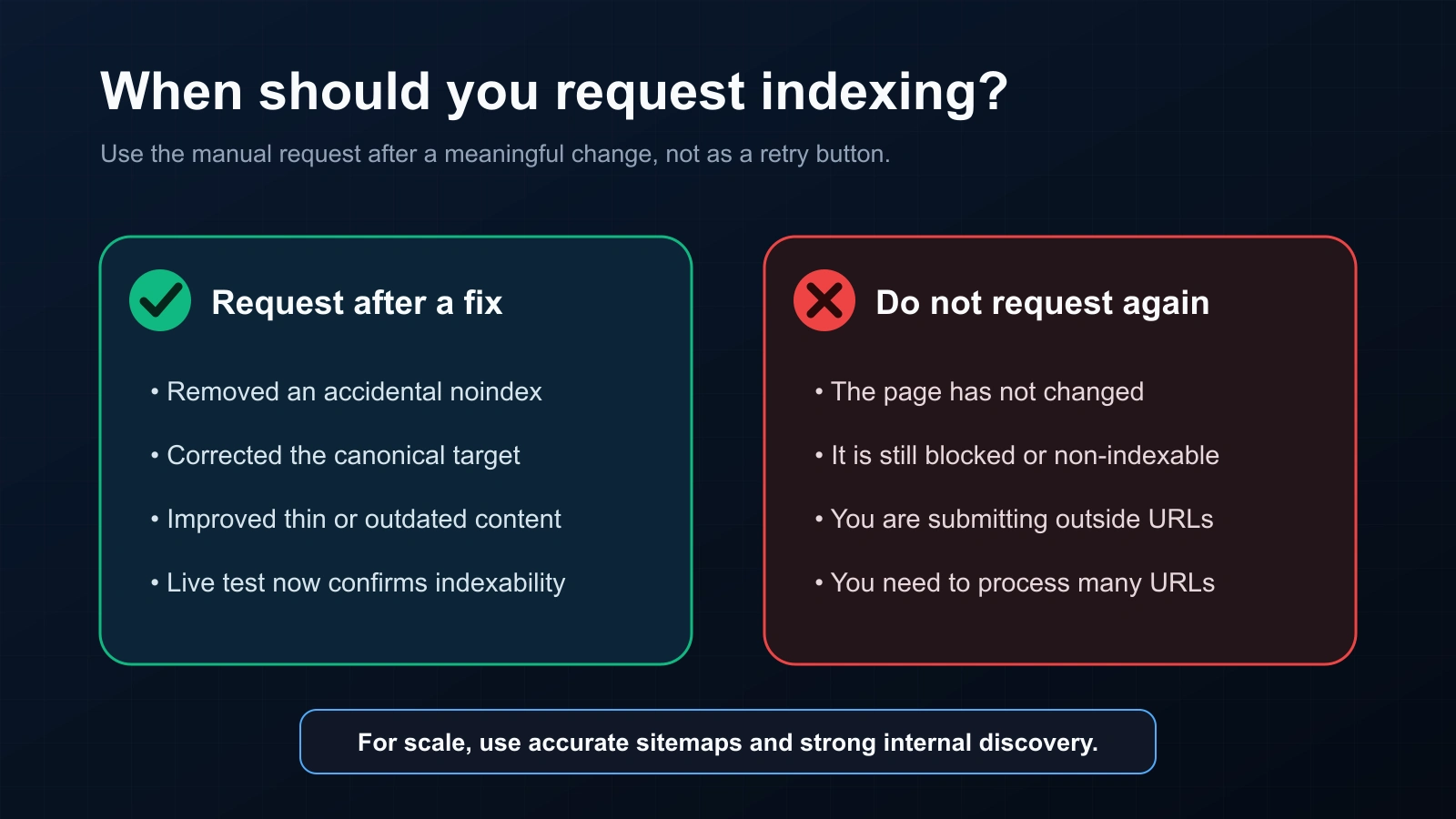
- Repeat requests are not a diagnosis: submitting the same unchanged URL again does not correct an eligibility, content, canonical or availability problem.
When requesting indexing actually helps
It can be appropriate after publishing an important URL or after a meaningful fix, such as removing an unintended noindex directive, correcting availability, or aligning canonical signals. Run a live test first. If nothing changed, diagnose the recorded state instead of treating another request as the fix.
For many URLs (or backlinks)
The manual tool doesn’t scale, and it can’t touch URLs outside your property. For volume:
- Submit a sitemap with accurate
<lastmod>dates for discovery across many of your own pages. (See submitting a sitemap.) - For backlinks on sites you don’t own — which GSC can’t request at all — use an indexing service to push them, and a bulk index checker to confirm results.
For third-party batches without property access, evaluate the evidence model before choosing a bulk backlink indexer.
Request accepted is not the final outcome
| Event | What it proves | What it does not prove |
|---|---|---|
| Live test passed | The current fetched version passed the checks exposed by the live test | That Google selected the same canonical or stored it in the index |
| Request accepted | Search Console accepted an indexing request for the authorized property | That a later crawl completed or indexing occurred |
| Crawl recorded | The indexed report contains a later fetch event | That the fetched representation was selected for indexing |
| Indexed representation observed | An exact or alternate/canonical representation was observed at a stated time | A permanent state, ranking position or causal effect from the request |
Choose the workflow by ownership
- Your verified URL: diagnose with URL Inspection, fix the page, run a live test, then request indexing when appropriate.
- Many URLs on your site: maintain crawlable internal links and an accurate sitemap; monitor the property-level reports.
- A third-party backlink URL: do not claim Search Console access or use the official Google API outside its documented eligibility. Keep campaign processing and the later public observation separate.
Ownership and API boundaries
Search Console’s Request Indexing flow is for URLs in a verified property. The URL Inspection API reports inspection data for authorized properties; it is not a general submission API. Google’s Indexing API has documented content-type eligibility and should not be represented as a universal backlink-indexing endpoint. For third-party backlinks, report the limitation explicitly and use a separate public observation method.
See Google Indexing API eligibility scope before describing any submission workflow to a client.
Which action follows each request outcome?
| Observed event | Decision rule | Do not report |
|---|---|---|
| Live test fails | Repair the exposed access, directive or rendering issue before another request | “Submitted successfully” as proof of eligibility |
| Live test passes; request accepted | Record the request time and wait for separate crawl/index evidence | “Google indexed the URL” |
| Later crawl recorded; URL not selected | Route to the recorded indexing or canonical evidence owner | That the request failed technically |
| External backlink URL | Use delivery evidence and a dated public observation; request owner evidence when needed | That Search Console was used without property access |
For a client or buyer, the proof object is a sequence—request accepted, crawl recorded, indexed representation observed—not a screenshot of the button. Use the Indexing Problems hub for the next diagnostic owner and the public methodology for evidence limits.
FAQ
How many URLs can I request per day?
Google applies a per-property daily limit on manual Request Indexing but does not publish the exact figure. For many URLs, submit a sitemap rather than requesting each one.
Does requesting indexing guarantee my page gets indexed?
No. An accepted request is separate from a later crawl and indexed selection; Google does not guarantee either outcome.
Can I request indexing for a backlink?
No — only for URLs in your verified property. For backlinks, use an indexing service and verify with a bulk checker.
How long after requesting until it’s indexed?
Google provides no guaranteed indexing timeline. Record the request time, then separately record any later crawl and dated index observation instead of promising a fixed interval.