Part of the Indexing Basics topic guide. Use the guide to move from this specific question to the full diagnostic workflow.
The URL Inspection tool in Google Search Console tells you whether a specific URL is indexed, why it is or isn’t, and lets you test the live page and request indexing. Its catch: it only works on URLs inside a property you’ve verified, and only one URL at a time. So for auditing hundreds of pages — or backlinks that live on sites you don’t own — you need a bulk approach instead.
URL Inspection is the property-level evidence owner within the Indexing Basics information architecture; external backlink observations remain a separate lane.
This guide covers everything the tool does, how to read each part of the report, its real limits, and what to use when one-URL-at-a-time stops being practical.
What the URL Inspection tool is
URL Inspection shows you Google’s indexed version of a page and lets you test whether the current version could be indexed. You open it two ways:
- Type a fully-qualified URL into the inspection bar at the top of Search Console.
- Click the Inspect link next to a URL in most Search Console reports.
The URL must belong to the property you currently have open. That single requirement drives most of its limitations, which we’ll get to.
How to inspect a URL
- Open the correct property in Search Console.
- Paste the full URL (including
https://) into the inspection bar. - Read the indexed status (data from Google’s last crawl).
- If you’ve changed the page recently, click Test Live URL to check the current version.
- Fixed an issue? Click Request Indexing.

Reading the index status
The headline result falls into one of four states:
- URL is on Google — indexed and eligible to appear (eligible ≠ guaranteed to rank).
- URL is on Google, but has issues — indexed, but enhancements or AMP problems exist.
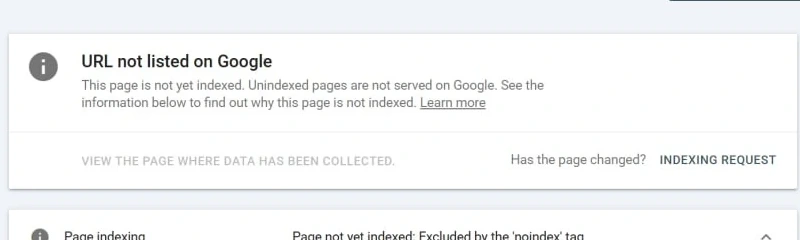
- URL is not on Google — not indexed; the report shows the reason.
- URL is an alternate version — e.g. an AMP page treated as alternate to the canonical.
The coverage details that actually matter
Under the status, Google explains how it handled the page. The fields worth reading:
| Field | What it tells you |
|---|---|
| Discovery / Referring page | How Google found the URL (sitemap, a linking page) |
| Last crawl | The fetch date underlying the indexed report; changes made after this date are not represented in that snapshot |
| Crawled as | Googlebot desktop or smartphone |
| Crawl allowed | Whether robots.txt permits crawling |
| Page fetch | Whether Google could retrieve the page |
| Indexing allowed | Whether a noindex directive is blocking it |
| User-declared canonical | The canonical you set |
| Google-selected canonical | The canonical Google actually chose — the key field for duplicate issues |
If “User-declared” and “Google-selected” canonical don’t match, you’re likely looking at a duplicate/canonical problem.
Indexed status vs Live Test (the part people get wrong)
These are two different things, and confusing them wastes hours:
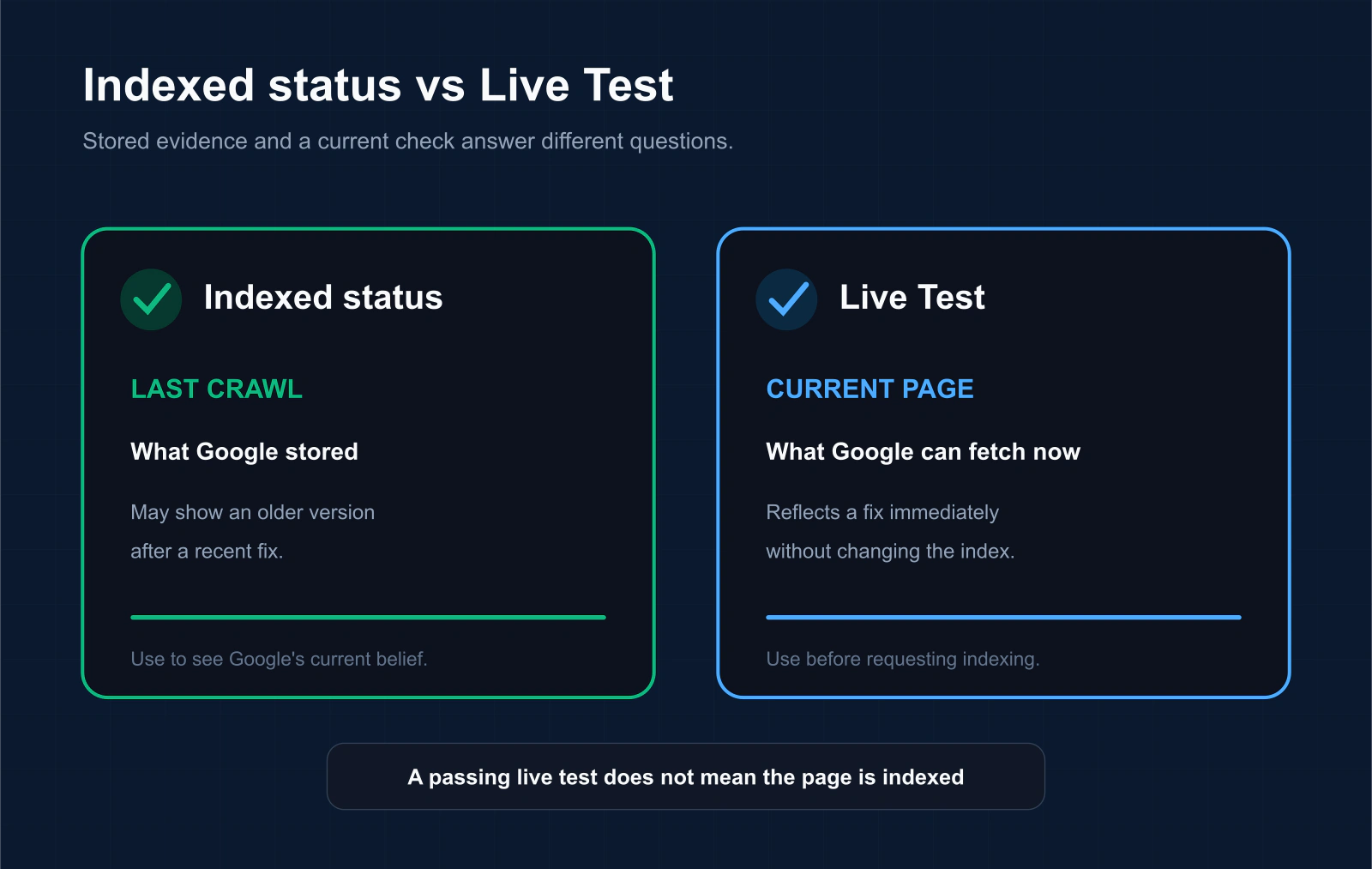
- Indexed status = what Google stored at the last crawl. If you fixed a problem yesterday but Google last crawled three weeks ago, this still shows the old, broken state.
- Test Live URL = the page’s current state, fetched in real time, bypassing the index. Fixed the issue? The live test reflects it immediately.
Rule of thumb: use the indexed status to see what Google currently believes; use the live test to confirm a fix before you request indexing.
Requesting indexing (and its limits)
After a live test passes, click Request Indexing to add the URL to Google’s crawl queue. Keep expectations realistic:
Before using the button repeatedly, read the limits of Request Indexing and correct the underlying eligibility, content or canonical issue first.
- Google provides no guaranteed indexing interval; record request, crawl and observation dates separately.
- There’s a daily per-property limit on manual requests; Google enforces it but does not publish the exact number, so use sitemaps for many URLs.
- Requesting indexing does not guarantee selection and does not override quality, duplication, canonical, policy or availability decisions.
- Repeated requests are not a substitute for diagnosing an unchanged eligibility, content, canonical or availability issue.
For many pages at once, submitting a sitemap with accurate <lastmod> dates is a better discovery signal than clicking request repeatedly.
Viewing the crawled and rendered page
Both the indexed result and the live test can show you what Googlebot saw:
- Raw HTML returned
- HTTP response headers
- JavaScript console output and loaded page resources
- A screenshot of the rendered page — live test only, and only when the fetch succeeds
This is where you catch rendering problems: content that depends on JavaScript, blocked resources, or a page that looks fine to you but renders empty for Googlebot.
What the tool does NOT do
Knowing the blind spots saves you from wrong conclusions:
- It doesn’t check quality/security guideline compliance or manual actions.
- The live test doesn’t confirm whether duplicates are truly indexed, or check sitemap/referring pages.
- It only works on properties you’ve verified — you can’t inspect a competitor’s page or a backlink on someone else’s site.
- It’s one URL at a time, with a daily inspection limit per property.
When one URL at a time isn’t enough
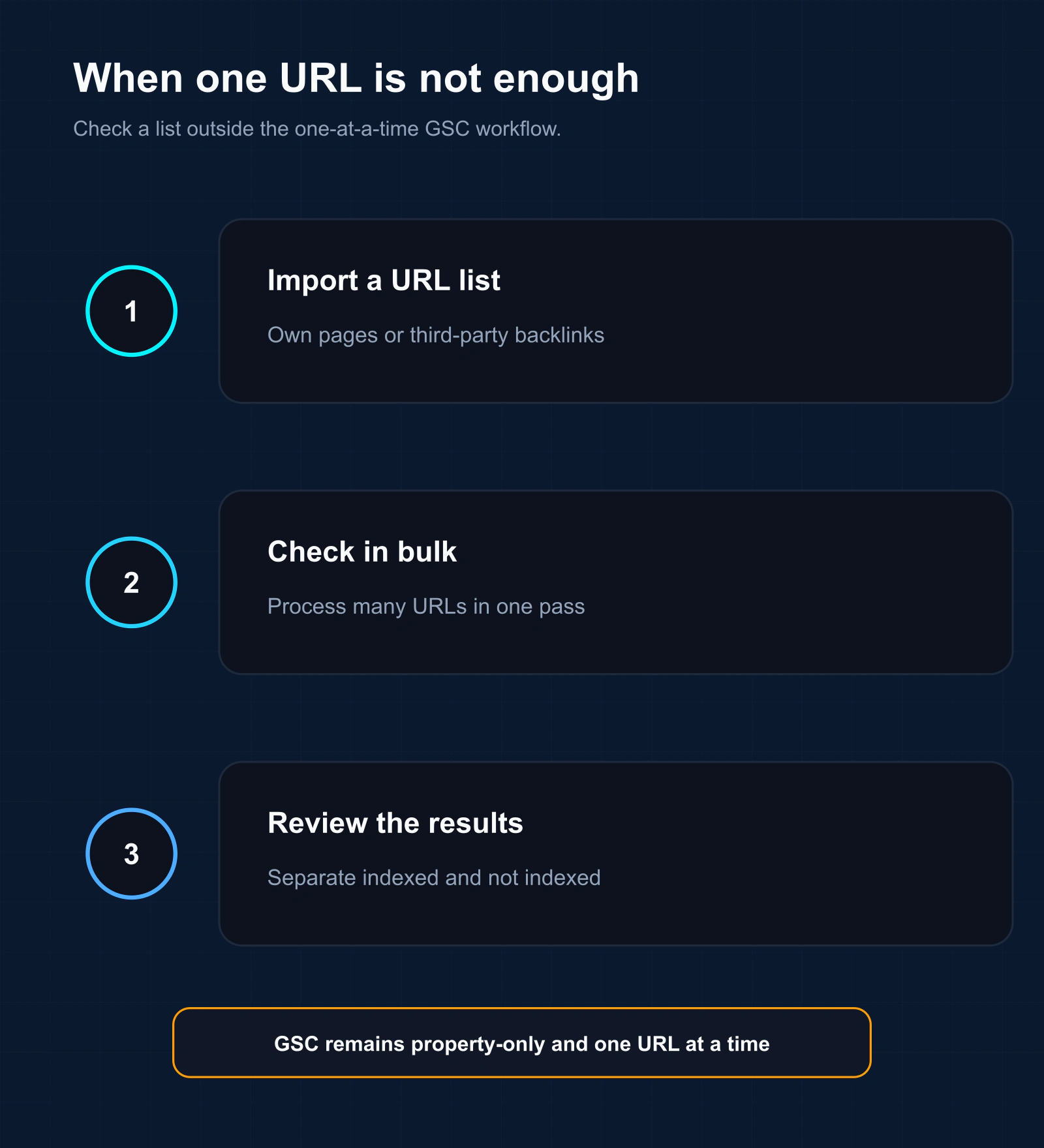
This is the real ceiling for anyone working at scale. Two common cases the URL Inspection tool simply can’t handle:
- Hundreds or thousands of your own URLs — inspecting each by hand is impossible, and the daily limit stops you fast.
- Backlinks on sites you don’t own — you can never verify those properties, so the tool won’t touch them at all.
For list-based and third-party workflows, use an external observation method and preserve its result classes. A bulk index checker can record exact-URL observations, alternate/canonical observations, not-observed results and unavailable checks with a timestamp. Those public observations do not expose a private Search Console exclusion reason.
The URL Inspection API (for automating your own site)
Google offers a URL Inspection API to automate checks within your verified properties. The practical limits:
- 2,000 requests per day and 600 per minute, per property.
- Project-level ceilings are much higher, but the per-property 2,000/day is the real bottleneck.
- Still property-only — it won’t inspect URLs you don’t own.
These published limits were last checked on August 2, 2026. The API is useful for authorized property monitoring; it is not a submission endpoint and does not inspect third-party backlink properties.
A URL Inspection handoff record
| Field | Example class | Why preserve it |
|---|---|---|
| Property and inspected URL | Authorized URL-prefix or Domain property | Establishes which representation and access scope were inspected |
| Evidence source | Indexed result, live test, API result or external observation | Prevents unlike verdicts from being merged |
| Evidence time | Last crawl, live-test time or external check time | Shows whether a later page change is represented |
| Canonical fields | User-declared and Google-selected canonical | Preserves the difference between a hint and the selected representative |
| Request event | Not requested, accepted, limited or unavailable | Keeps submission separate from later crawling and indexing |
| Next check | Defined by business priority and evidence state | Avoids promising a universal indexing deadline |
For current product behavior, see Google’s URL Inspection documentation. For API monitoring, Google’s published usage limits list 2,000 index-inspection calls per site per day and 600 per minute as of this page’s last check.
Three states commonly collapsed into one
- Indexed report: Google’s recorded indexed data for the inspected URL.
- Live test: a current fetch and indexability evaluation that does not predict canonical selection or guarantee indexing.
- External observation: a dated public-search check useful for third-party URLs but unable to expose Search Console’s exclusion reason.
Record the evidence source beside every verdict. Never translate a live-test pass into “indexed,” or an external not-observed result into a specific Search Console status.
What can a backlink provider use when URL Inspection is unavailable?
A provider or reseller usually cannot inspect the third-party domain hosting a backlink. Keep two evidence lanes rather than imitating Search Console fields.
| Evidence lane | Available fields | Forbidden inference |
|---|---|---|
| Authorized property lane | Indexed report, live test, crawl time, canonical fields and request event | A live-test pass guarantees indexed selection |
| Third-party delivery lane | Source response, final URL, expected link and visible directives | The private Search Console exclusion reason |
| Third-party observation lane | Named public method, URL form, result and timestamp | A permanent index state or ranking effect |
| Owner escalation lane | Exact field requested from the publisher/property owner | That missing access is negative evidence |
Provider handoff: report delivery verification and dated index observation separately. If the buyer needs a named discovery, crawl or canonical state, request authorized owner evidence. Continue to backlink delivery QC, the diagnostic hub or the IndexVero methodology.
FAQ
Can the URL Inspection tool check my backlinks?
No. If a link sits on a site you haven’t verified in Search Console, the tool can’t inspect it. Use a bulk index checker that doesn’t require GSC for those.
Why does the tool say “indexed” but the Page Indexing report says otherwise?
Compare the evidence source and timestamp. The aggregate Page Indexing report can lag a recent change, while the indexed URL Inspection result reflects the latest indexed data available for that URL and the live test reflects a current fetch. The live test does not evaluate every indexing condition, so do not apply a blanket “trust one report” rule.
How long after Request Indexing until a page is indexed?
Google gives no guaranteed timeline — and only pages it judges worth indexing get indexed at all. Record the request date and recheck the indexed report after a set observation window rather than expecting a fixed number of days.
What’s the difference between the live test and the indexed result?
The live test is the page’s current state, fetched now; the indexed result is what Google stored at its last crawl.
If the URLs you need indexed are backlinks on sites you don’t control, Search Console can’t submit them for you. Our backlink indexing service handles third-party URLs in bulk and verifies the outcome.