Part of the Indexing Problems topic guide. Use the guide to move from this specific question to the full diagnostic workflow.
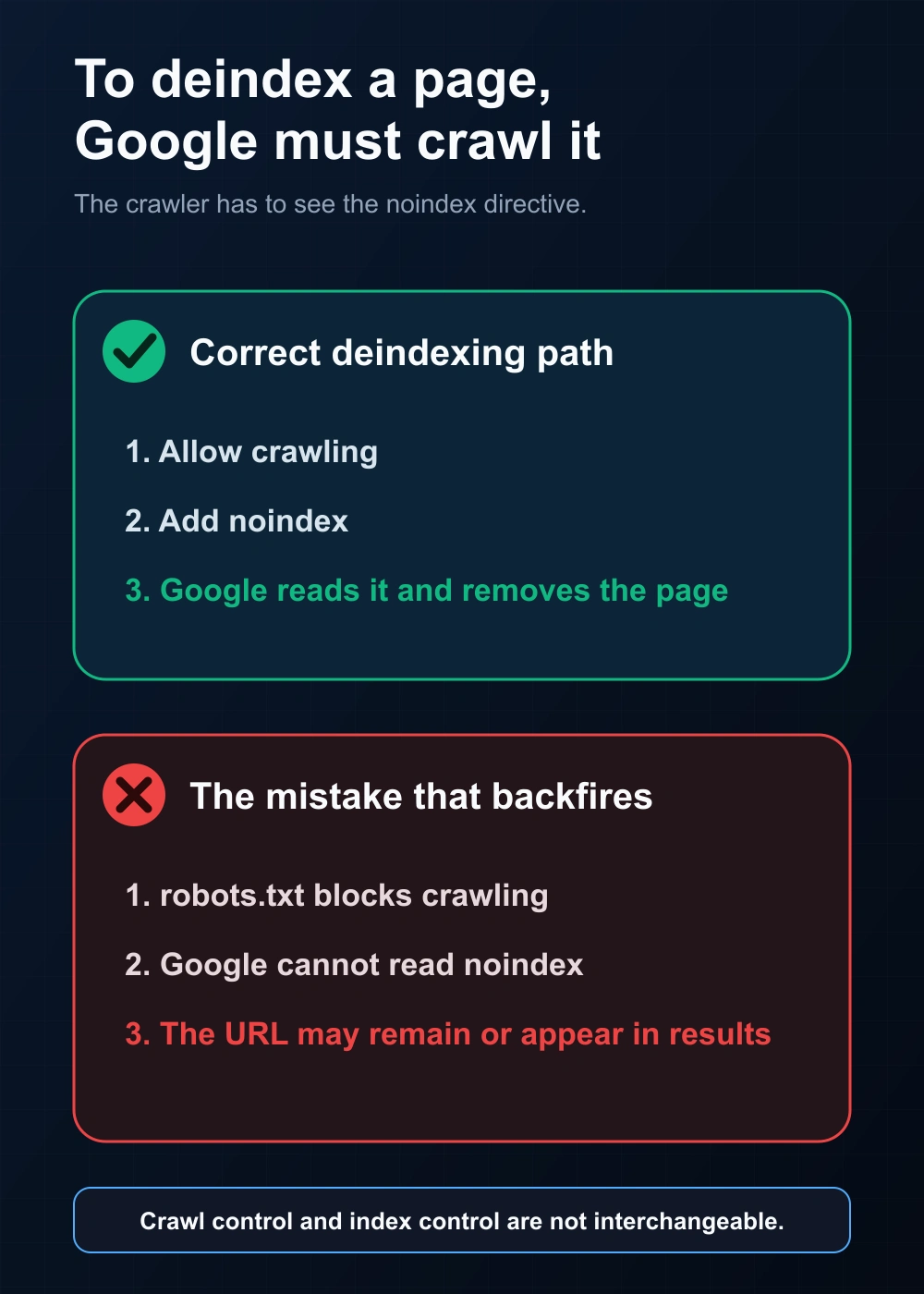
robots.txt and the noindex directive do different jobs: robots.txt controls whether Google can crawl a page; noindex controls whether Google can index it. The classic mistake is blocking a page in robots.txt when you want it deindexed — because if Google can’t crawl the page, it never sees the noindex, so the page can stay in the index.
Robots and noindex are distinct control nodes within the technical indexing diagnosis hub; identify which relation is blocked before changing either directive.
The core difference
| robots.txt Disallow | noindex (meta tag / header) | |
|---|---|---|
| Controls | Crawling (access) | Indexing (storage) |
| Effect | Googlebot won’t fetch the page | Google fetches it but won’t index it |
| Use it to | Save crawl budget on unimportant sections | Keep a page out of search results |
After distinguishing the directives, review how directives are read during crawling to place each signal in the wider pipeline.
The mistake that backfires
If you want a page out of Google, use noindex — and make sure the page is crawlable. If you instead Disallow it in robots.txt, Googlebot can’t fetch the page, so it may not read the noindex. A URL can still appear in results (often without a description) because Google knew about it from links, and a URL that was already indexed before you blocked it can linger in the index — removing it may require a separate step (e.g. the Removals tool) rather than robots.txt alone. Rule: to deindex, allow crawling and add noindex — don’t block it in robots.txt.
When to use each
- noindex: thank-you pages, internal search results, thin tag pages you want out of Google but still crawlable.
- robots.txt Disallow: large low-value sections you don’t want crawled at all (e.g. faceted parameters) — accepting they may still be indexed if linked.
How to check what’s blocking a page
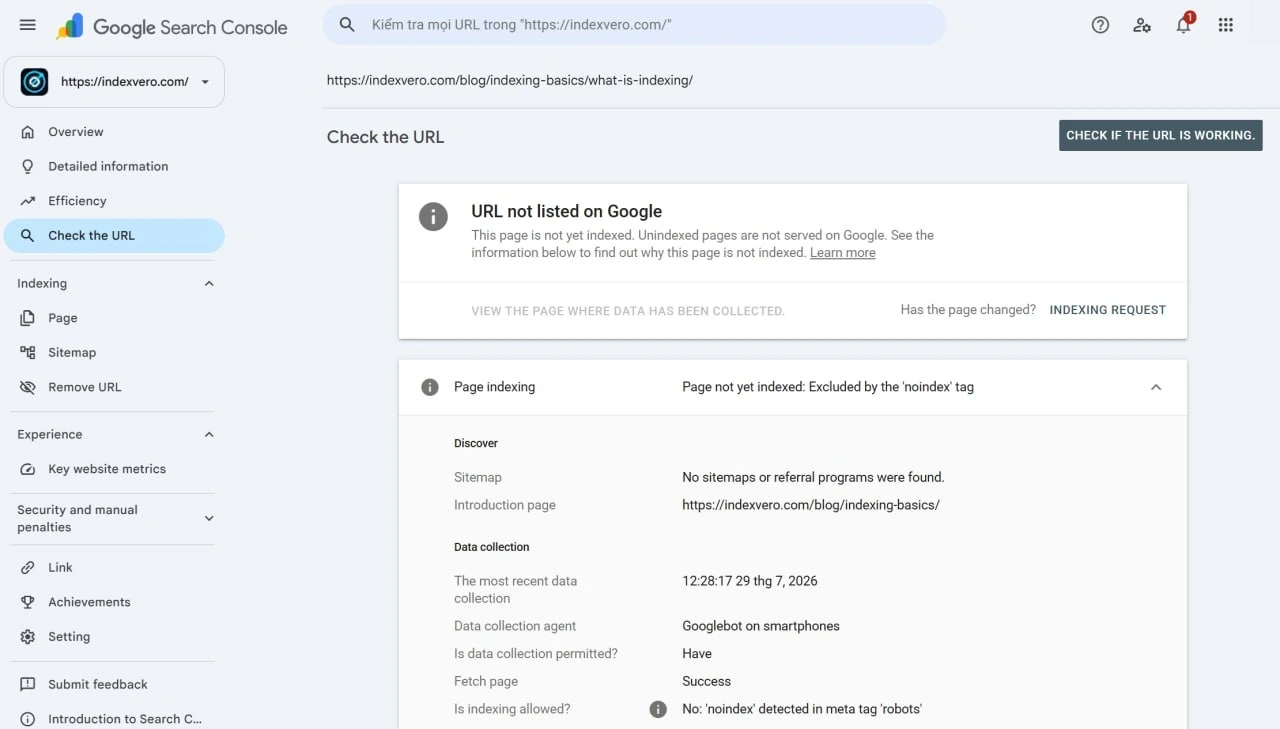
- Run URL Inspection and read “Crawl allowed” (robots.txt) and “Indexing allowed” (noindex).
- If “Crawl allowed = No,” a robots.txt rule is blocking it.
- If “Indexing allowed = No,” a noindex directive is present.
If the authorized property instead records Discovered – currently not indexed, investigate discovery and scheduling evidence before assuming a directive blocked the page.
For backlinks
A backlink source page may expose a noindex directive or a robots.txt restriction. A crawlable page with a noindex directive is intended to be removed from Google Search after Google processes the directive. A robots-blocked URL can still be known or even indexed from other signals, but Google cannot fetch the page to evaluate the current link or read a page-level noindex rule. Report the observed directive separately from the later index observation.
Source-page eligibility for backlink delivery
| Observed source state | Provider report | Do not merge it with |
|---|---|---|
| Crawlable, no noindex observed | No visible directive conflict was observed at the check time | A guarantee that Google will index the page |
| Crawlable, noindex present | The page declares that supporting search engines should not index it | A robots.txt crawl block |
| Blocked by robots.txt | The crawler is disallowed from fetching the path under the tested rules | Proof that the URL is absent from the index |
| Unavailable or gated | The directive and link state could not be verified | Either “indexable” or “not indexed” |
For the primary rule and implementation details, see Google’s noindex documentation. Keep the directive check time because a later crawl or page update can change the state.
A 401/403 access response, 429 rate limit, 5xx failure or unavailable robots.txt file is not the same entity as a robots.txt Disallow rule. Use the server and access error guide to keep transport, response and directive evidence separate.
Directive relationship matrix
| Mechanism | Primary relation | Key limitation |
|---|---|---|
| robots.txt | Crawler access to a URL path | Does not itself guarantee removal from the index |
| noindex | Indexing directive read from a crawlable response | Google must be able to retrieve it |
| canonical | Preferred representation hint | Not a blocking directive |
| HTTP 3xx/4xx/5xx | Retrieval and destination state | Has different effects from robots or noindex |
FAQ
Does robots.txt remove a page from Google?
No — it blocks crawling, not indexing. A blocked page can still appear if Google found it via links. Use noindex to remove it.
Can I use robots.txt and noindex together?
Not for deindexing — if robots.txt blocks crawling, Google never sees the noindex. Allow crawling so the noindex is read.
Where do I put noindex?
As a <meta name="robots" content="noindex"> tag or an X-Robots-Tag HTTP header.
After removing an accidental block, use the bulk index checker to verify which URLs are visible in Google and keep a dated baseline for the next crawl.
If the URLs you need indexed are backlinks on sites you don’t control, Search Console can’t submit them for you. Our backlink indexing service handles third-party URLs in bulk and verifies the outcome.