Part of the Indexing Basics topic guide. Use the guide to move from this specific question to the full diagnostic workflow.
Google Search Console (GSC) is Google’s free tool for seeing how your site performs in Search. For indexing specifically, three features do the heavy lifting: the Pages (Indexing) report, the URL Inspection tool, and the Sitemaps report. The one thing to remember: GSC only shows data for properties you’ve verified — it can’t tell you anything about backlinks on sites you don’t own.
Use this property-level workflow alongside the Indexing Basics evidence model, which separates discovery, fetch, indexed data and query-dependent serving.
This guide focuses on the indexing side of GSC (not every feature), because that’s where most “why isn’t my page showing up” questions get answered.
The Google Indexing API has a narrower, content-type-specific scope than Search Console and is not a general submission API for ordinary pages or backlinks.
Once URL Inspection identifies the issue and a live test confirms the fix, review when requesting indexing is appropriate; a request queues a crawl but does not guarantee indexing.
Setting up: verify your property
You can only use GSC on a site you’ve verified ownership of (via DNS, an HTML file, a tag, or Google Analytics). A “Domain” property covers all subdomains and protocols; a “URL-prefix” property covers one exact address. For most sites, a Domain property is the cleaner choice.
The Pages (Indexing) report
This report shows how many of your pages are indexed vs not indexed, and why the excluded ones aren’t. Common reasons you’ll see:
- Crawled – currently not indexed — a crawl is recorded, but the URL is not currently indexed; investigate the rendered page, duplication, directives and canonical evidence.
- Discovered – currently not indexed — Google knows the URL, but the report has no completed crawl; investigate discovery, crawl demand, host availability and internal prominence.
- Duplicate without user-selected canonical
- Blocked by robots.txt, or excluded by
noindex
Use it to spot patterns — if hundreds of URLs share one reason, that’s a systemic issue worth fixing once.
Two status owners deserve separate workflows: Soft 404 diagnosis compares the response with the page lifecycle, while server and access errors use URL-level fetch evidence plus host-wide Crawl Stats.
The URL Inspection tool
For a single URL, URL Inspection is the most precise tool in GSC: index status, the canonical Google chose, last crawl, and a live test. Just remember it works one URL at a time and only within your property. Full walkthrough: the URL Inspection tool guide.
The Sitemaps report
Submit your sitemap.xml here so Google can discover your URLs efficiently. The report shows how many URLs Google read and any errors. Note: a sitemap aids discovery; it doesn’t force indexing. Details: submitting a sitemap to Google.
A quick indexing workflow in GSC
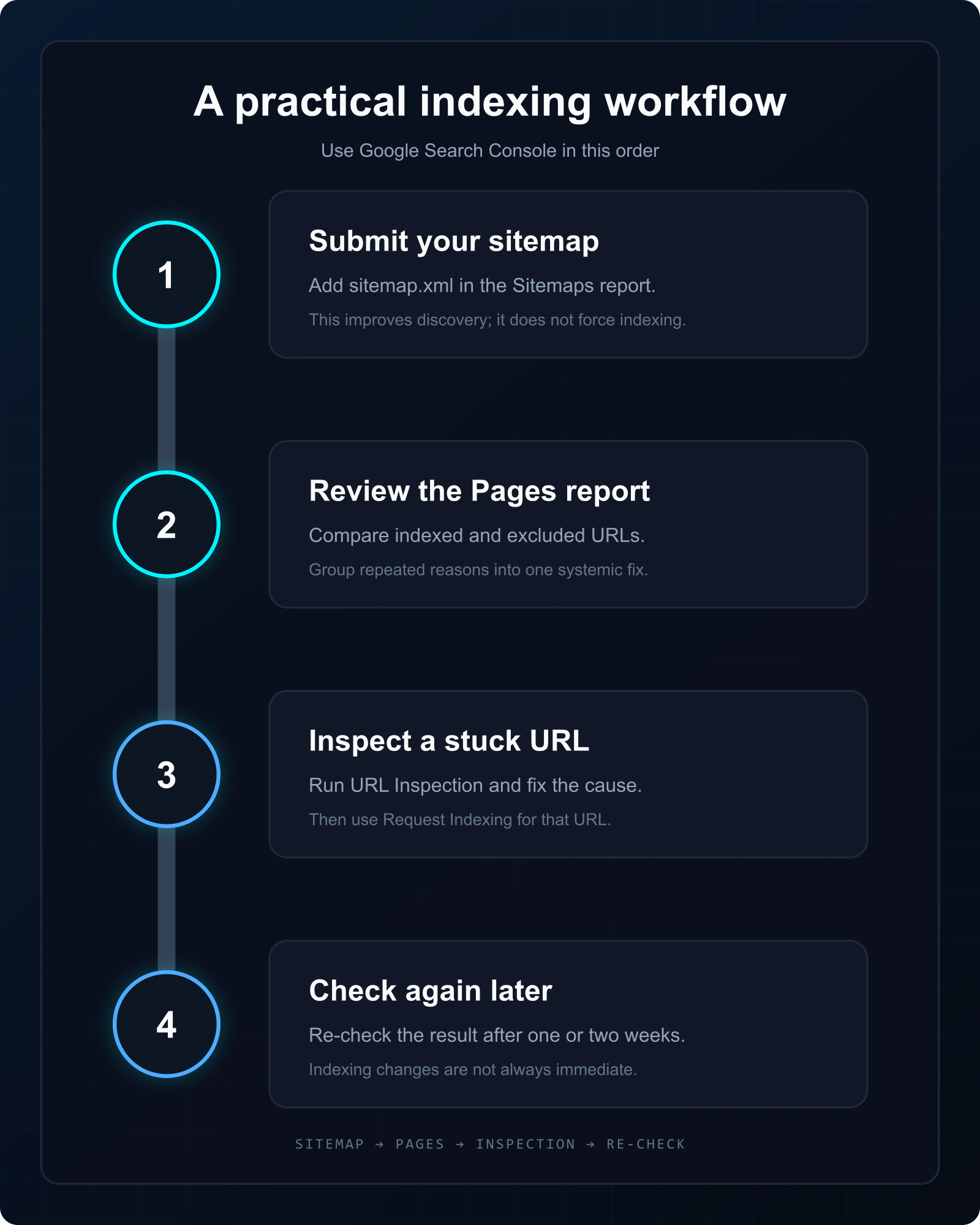
- Submit your sitemap (Sitemaps report).
- Watch the Pages report for indexed vs excluded, and the reasons.
- For a specific URL, inspect the recorded state, test the current page, fix the supported issue, then request indexing when appropriate.
- Record the action date and recheck on a defined schedule; Google does not provide a universal indexing deadline.
What GSC can’t do (and the workaround)
GSC’s biggest limit for link builders and agencies: it only reports on your verified properties. You can’t inspect a backlink sitting on a third-party site, and you can’t check thousands of external URLs one at a time. For that you need a checker that works outside GSC — paste or import the list and get indexed status in bulk with a bulk index checker.
An agency evidence handoff
| Field | Owned-property workflow | Third-party backlink workflow |
|---|---|---|
| Authority to inspect | Record the verified Domain or URL-prefix property | Do not imply Search Console access to the source property |
| Recorded status | Store the Page Indexing reason or URL Inspection indexed result with its crawl date | Store only the public observation class and check time |
| Current technical state | Use a live test after a fix, while preserving the older indexed result | Record publicly observable availability, directives and link presence |
| Canonical evidence | Keep user-declared and Google-selected canonical fields separate | Keep exact and alternate/canonical observations separate without assigning a private reason |
| Client conclusion | State the recorded evidence and next diagnostic action | State the dated observation and its limitation |
The Page Indexing report provides comprehensive totals but only a limited set of example URLs may be listed. Use it to identify patterns, then use URL Inspection for a specific owned URL. See Google’s Page Indexing report documentation for the status, reason and source fields.
Use the right Search Console evidence object
| Object | Scope | Best use |
|---|---|---|
| Page Indexing report | Property-level aggregation | Find patterns and affected groups |
| URL Inspection indexed report | One owned URL, recorded index data | Last crawl, discovery and canonical diagnosis |
| URL Inspection live test | Current fetch/indexability snapshot | Validate a technical fix |
| External checker | Public URLs, including third-party pages | Time-bound batch observation, not root-cause diagnosis |
FAQ
Is Google Search Console free?
Yes, completely free — you only need to verify ownership of your site.
Can I check if my backlinks are indexed in GSC?
No. GSC only covers properties you own. Use a bulk index checker for backlinks on other sites.
What’s the difference between the Pages report and URL Inspection?
The Pages report is a site-wide overview of indexed/excluded URLs; URL Inspection is a deep check of one specific URL.
Does submitting a sitemap guarantee indexing?
No — it helps Google discover URLs, but each page still has to earn indexing on its own merits.
If the URLs you need indexed are backlinks on sites you don’t control, Search Console can’t submit them for you. Our backlink indexing service handles third-party URLs in bulk and verifies the outcome.